3110A Software
Standard Waveform Generator Software Update
VERSION 2.3.1 SOFTWARE UPDATE
IMPORTANT: To properly install this software update, follow the instructions included in this PDF file.
3110/3110A SOFTWARE DOWNLOAD LINK: 3110 Software Update v2.3.1.zip
This .zip file contains the software update .apk file for the 3110A controller. Extract the .apk file from the .zip archive and copy the .apk file to a USB drive. Follow the instructions provided in this PDF file to install the update .apk file to the 3110A.
NOTE: If you are updating from software version 2.0.6 or older, you will need to follow this method as updating the software without uninstalling the older version is no longer supported and may cause performance issues. Please remember to backup any user standards before uninstalling the old version.
REMOTE CLIENT SOFTWARE
IMPORTANT: To use the remote client software on a Windows PC, the remote client software must be updated to the same version as the .apk file installed on the 3110A. Use the Remote Client Software Update (.exe file) to update Windows PCs.
REMOTE CLIENT SOFTWARE DOWNLOAD LINK: SWG Remote Client Setup v2.3.1.zip
This .zip file contains the update installation for Window’s computers running the 3110/3110A Client (remote) software. Note that, once the 3110A is updated to the v2.3.1 software, all Window’s clients must also be updated to the v2.3.1 version of the client software in order to be able to access the 3110A remotely. Download the zip file and then extract the .exe installation file from the zip archive. Next, follow the instructions below to install the 3110A Windows Client software update.
Updating the 3110A Remote Client Software
Complete the following steps to update the Windows’ Remote Client software on a Windows computer (Windows 7, 8, 10, and 11):
- Follow the instructions provided for downloading the update file. Save the file on a USB drive, on your local computer, or on a network drive that is accessible to the computer(s) being updated.
- Locate and open the downloaded .exe file via Windows File Explorer. You will be prompted to approve the update process. Once approved, the update process will begin.
- A dialog box will confirm the update has been successfully performed. Close the dialog and the 3110 Remote Client will automatically load.
- Check the version information displayed on the About Server tab in the Settings window to confirm the update has been successfully installed.
VERSION 2.3.1 DOCUMENTATION
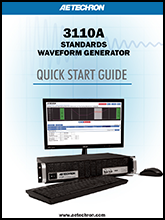 |
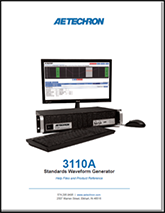
3110A QuickStartThe 3110A Quick Start Guide in pdf format. |
 |
3110A Help FileThe 3110A Help Manual in pdf format. |
 |
Change Log v2.3.1The major changes since v2.2.9 (text format). |